Eremex - SimPCB Lite
SimPCB Lite is an advanced CAE software application for modeling signals across a multitude of circuit structures on PCBs to ensure signal integrity and reduce losses in high-speed digital and high-frequency analog transmission lines.

Calculate transmission lines and vias using professional-grade solutions

Extensive Library of Transmission Line Structures

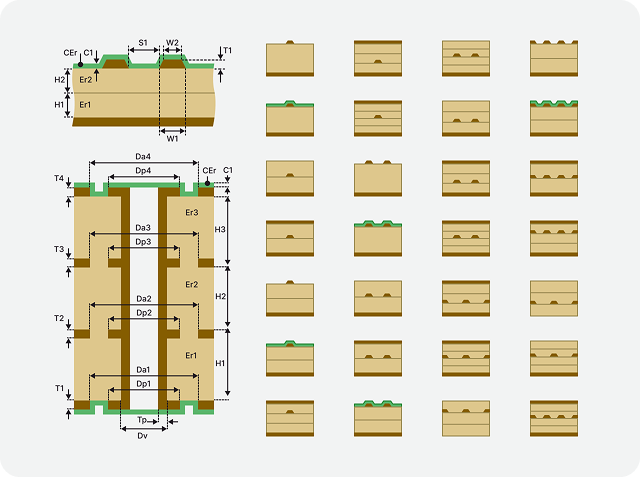
100+ ready-to-use transmission line structures (single-ended, differential pairs, coplanar) and vias which cover nearly all configurations in demand.

Calculated Parameters

With SimPCB Lite, engineers can resolve signal integrity issues early in the PCB design cycle. Precise calculation of RLCG, impedance, signal delay, attenuation, S-parameters, and crosstalk metrics guarantees high-speed performance and reliability.

Lossless Mode, Frequency & Time Domain Analyses

The platform includes comprehensive analyses to calculate essential transmission line parameters needed for flawless PCBs. Engineers can instantly simulate wave reflections, evaluate signal waveforms through complex topologies, and minimize attenuation to ensure signal integrity.

Seamless Migration

Use your experience with Si9000 (Polar) or Z-planner (Z–Zero) to effortlessly move to SimPCB Lite. Our intuitive, lightweight interface requires zero learning curve.

Integration with Your ECAD Software

Perform calculations in SimPCB Lite and then use the results in any PCB design ECAD system, including Altium Designer, Xpedition PCB, and PADS (Siemens).

Cross-Platform Compatibility

SimPCB Lite is a universal solution that runs on both Windows and Linux.

The main functionality of SimPCB Lite

Transmission Line & Via Structures

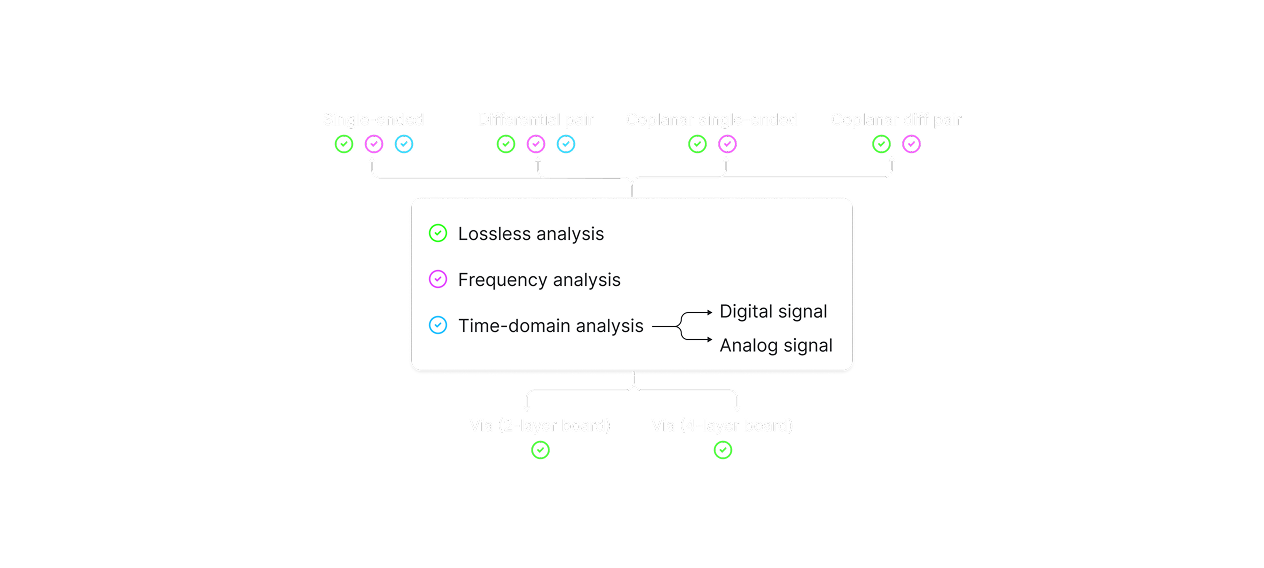
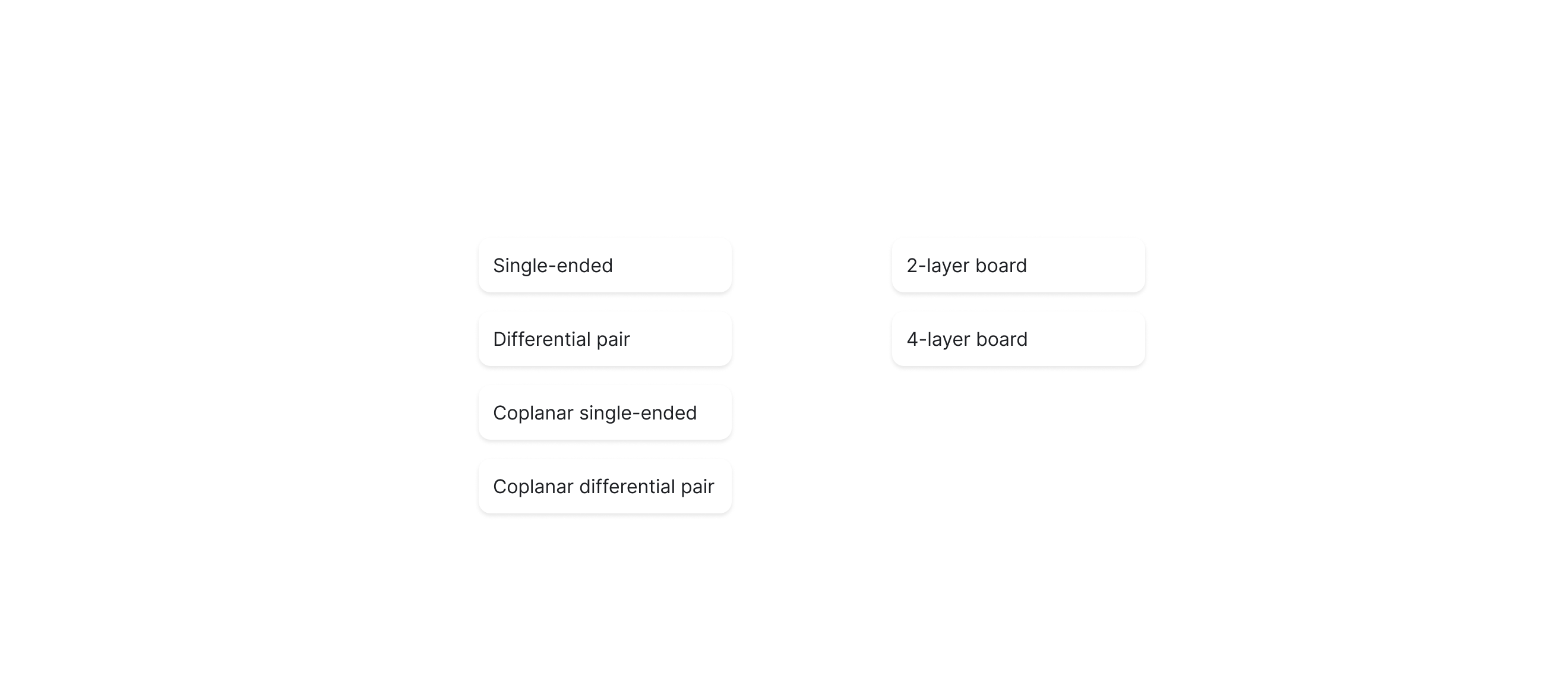
SimPCB Lite ships with a large library of over 100 transmission line and via structures, most commonly used in PCB design. Using them, you can build practically any PCB circuit you need. Supported structures include:
  • Single-ended
  • Differential pair
  • Coplanar single-ended
  • Coplanar differential pair
  • Vias (2-layer and 4-layer)
  • Lossless Calculations

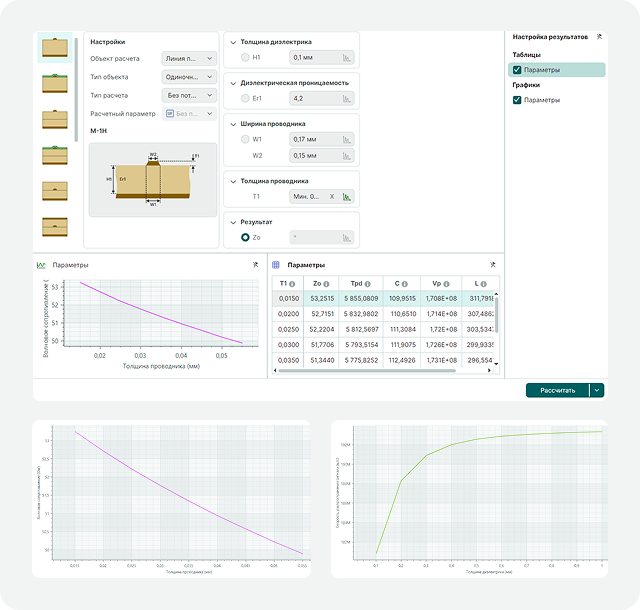
    A lossless calculation, performed without regard to frequency, is usually the first type of analysis an engineer runs. The transmission line model is represented by just two elements — capacitance and inductance. The lossless analysis is designed to calculate the primary and secondary parameters of transmission lines based on their geometric and electro-physical characteristics, and vice versa.

    For more detailed analysis, you can specify a range of values for input parameters. The calculated data is then displayed in a table and on a graph.

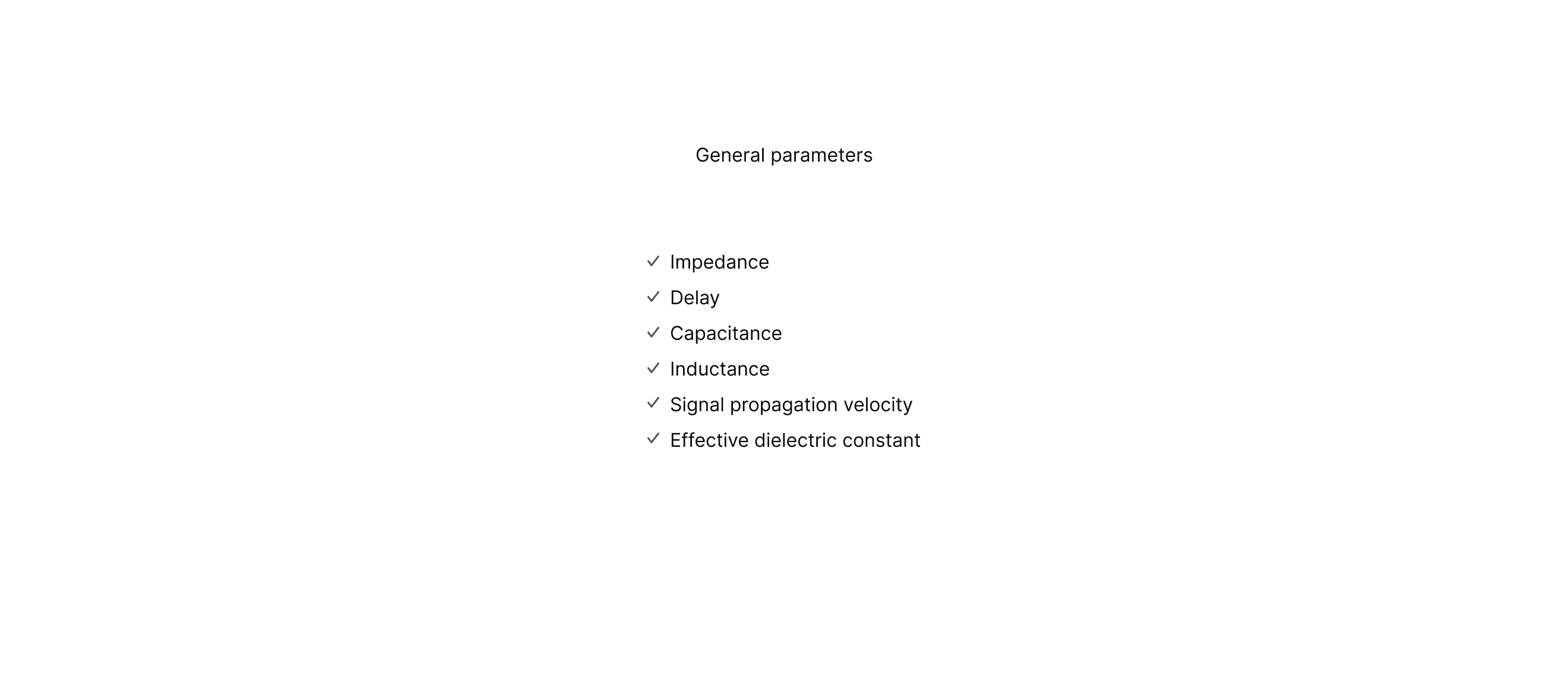
    Calculated parameters include:
  • Impedance
  • Delay
  • Capacitance
  • Inductance
  • Signal propagation velocity
  • Effective dielectric constant
  • Frequency Analysis

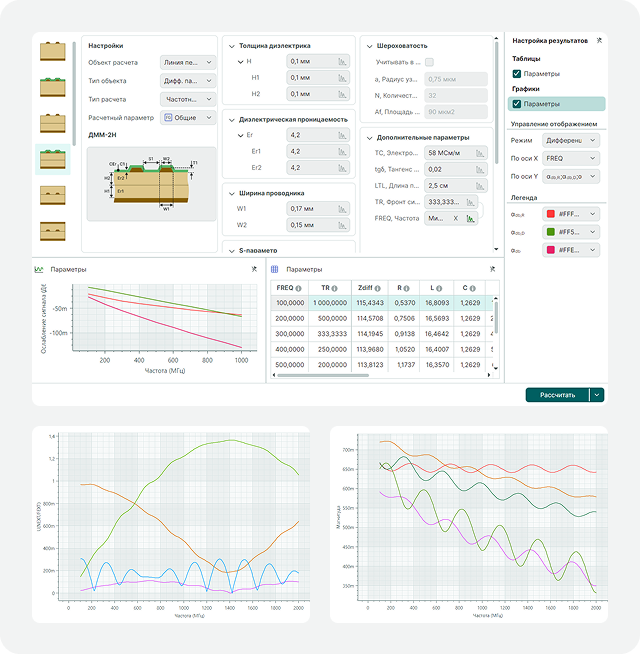
    Frequency analysis allows you to evaluate transmission line behavior at high frequencies. This calculation helps engineers identify and eliminate signal integrity issues such as attenuation, reflections, and crosstalk at an early stage in the design process. This is critical for maintaining the stability of modern high-speed digital interfaces and RF paths.

    The frequency analysis and the decisions made based on it reduce the chance of errors and the number of iterations required during PCB design.

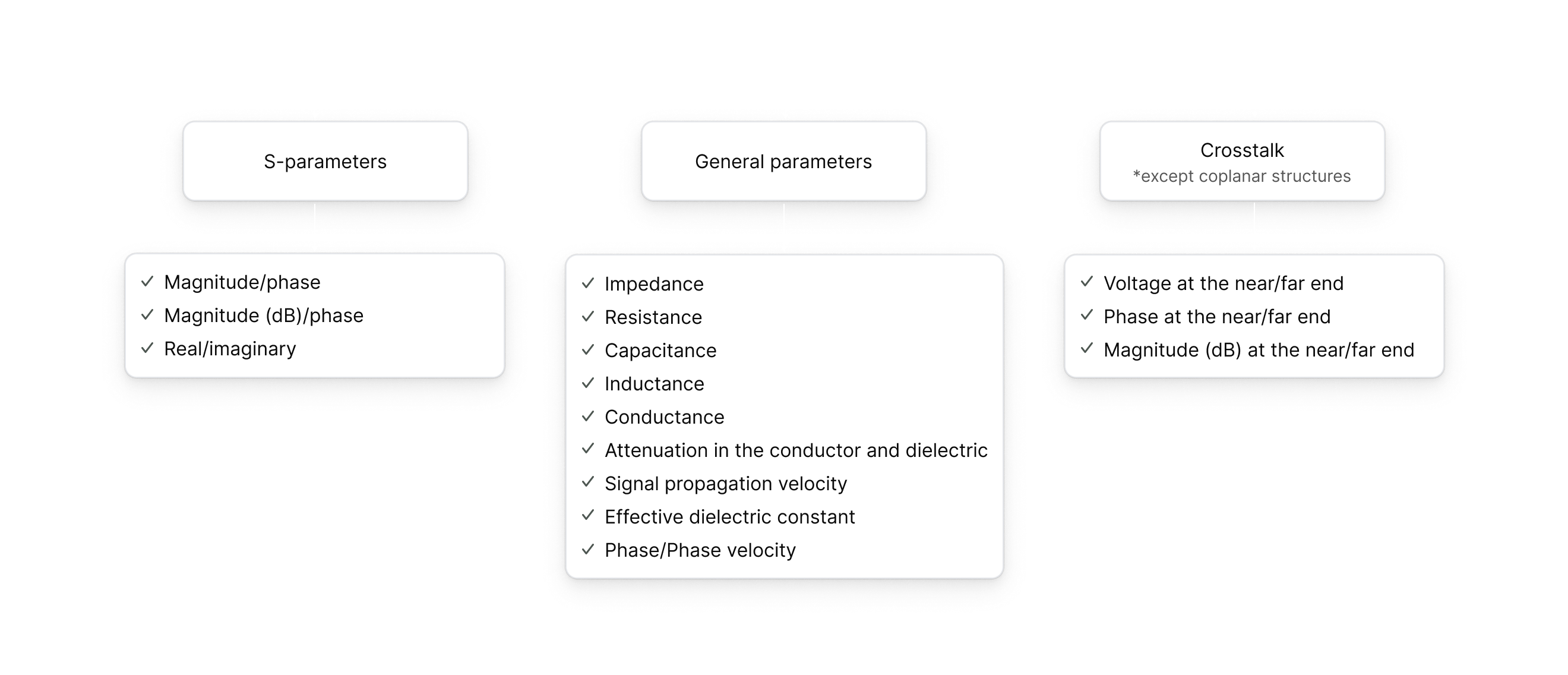
    General parameters (including surface roughness):

  • Impedance
  • RLCG
  • Signal attenuation in the conductor and dielectric
  • Phase velocity

  • S-parameters (including surface roughness):

  • Magnitude/phase and real/imaginary

  • Crosstalk:

  • 2 and 3 transmission lines (single-ended and differential pairs)
  • Voltage and phase calculation at the beginning/end of the transmission line
  • Time Domain Analysis

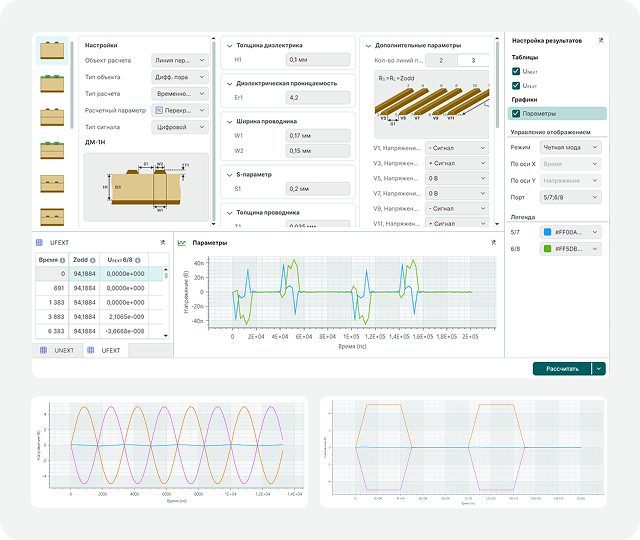
    Time domain analysis allows you to simulate transient processes and evaluate the degradation of digital and analog signals after they pass through transmission lines.

    You can analyze signal integrity, verify and monitor signal delay and rise time, and identify potential issues caused by pulse distortions.

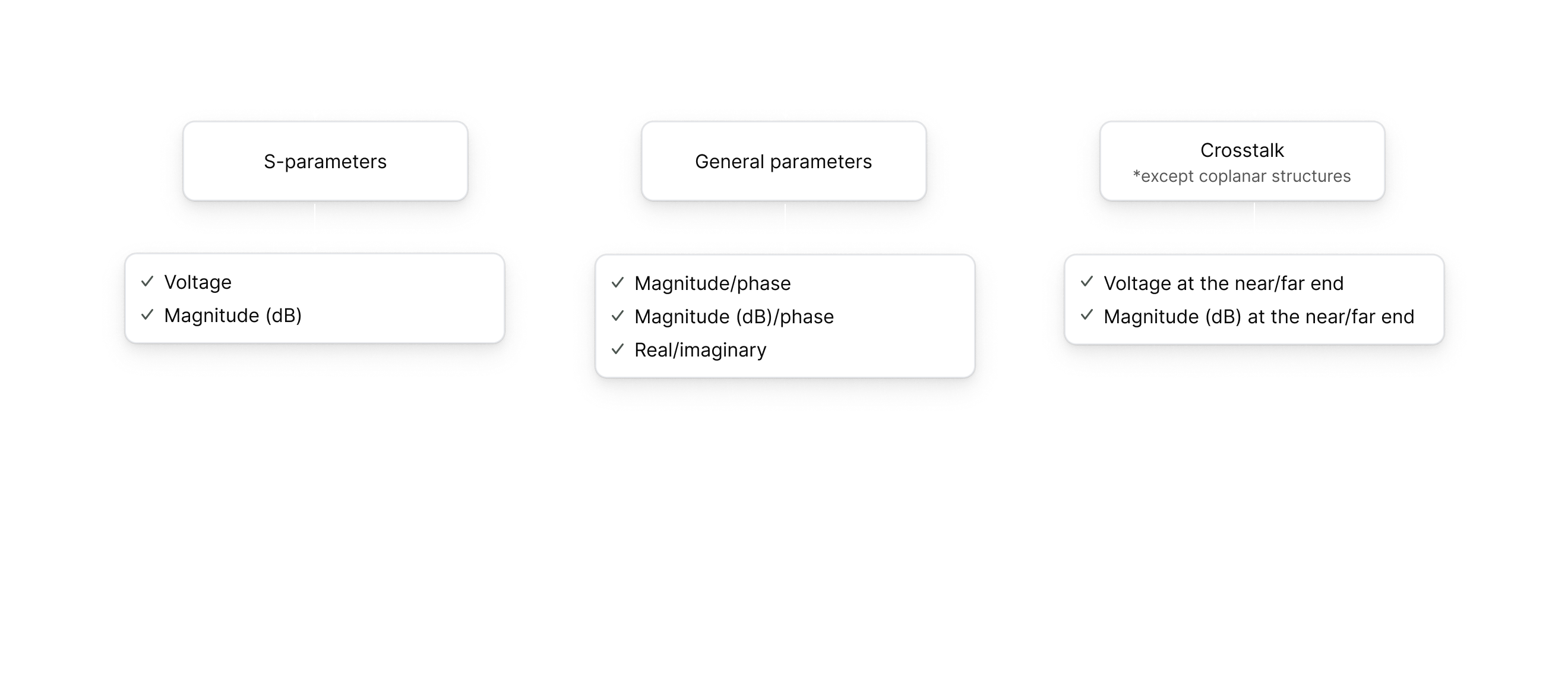
    Signal waveform calculation (including surface roughness):

  • Voltage and magnitude

  • S-parameters (including surface roughness):

  • Magnitude

  • Crosstalk:

  • Voltage and magnitude at the beginning/end of the transmission line
  • Transmission Line & Via Analysis Workflow
    Start by selecting the target transmission line or via you want to analyze.
    Select calculation mode to define the type of modeling to run for the selected transmission line or via. Supported calculation modes include: Lossless calculation (all types of transmission lines and vias); Frequency analysis (all types of transmission lines); Time-domain analysis (single-ended transmission lines and differential pairs).
    The calculation results are displayed in table and graph formats, with customizable visualization options. The data shown, which depends on the selected target and calculation mode, provides intuitive analysis of circuit characteristics.

    Frequently Asked Questions

    How to buy the SimPCB Lite software?
    1. Fill out the Order form.
    2. Confirm your agreement with the Public Offer, Privacy Policy and the terms of personal data processing.
    3. Submit the Order form.
    4. Within two working days we will send you an invoice for payment.
    5. Once payment is confirmed, you will receive an email with a link to the download distribution and activation key.
    Do you have a trial version?
    Eremex offers a free 60-day trial version of SimPCB Lite, so you can evaluate the product in your PCB design projects. The trial version has no functionality limitations compared to the pro version.
    What does the license include?
    The license includes one year of updates (new calculation features) and technical support. 
    Do I need a license for each end-user?
    Yes, a license must be purchased for each end-user.
    What if an end-user has 2 computers?
    One license can be activated a maximum of three times. The license is hardware-bound, so the developer can choose to activate the license on three computers or reserve spare activations for future use in case of hardware configuration changes (e.g. hard drive replacement). 
    Is there a free student license?
    We do not currently offer a special version of SimPCB Lite for students or educational institutions. However, you can use the 60-day trial version of SimPCB Lite.
    What is the calculation accuracy, and which ECAD tools were used for comparison?
    All calculations are performed using modern numerical methods, specifically the boundary element method. This method is used in virtually all similar software programs. The results obtained from SimPCB Lite are comparable to those from Ansys and Polar Si9000, and they also match measurements of transmission lines on actual PCBs. The discrepancy is within no more than five percent.
    How do you plan to develop SimPCB Lite?
    We are constantly taking into account the feedback from our customers. Regular updates to SimPCB Lite include important fixes and new features based on your requests.
    How can I get in touch with the SimPCB development team?

    For instant communication, you can contact us on Telegram: https://t.me/SkatPro_Live
    License Options

    License for SimPCB Lite time limited, 1 Year licence

    SKU: qwe
    Add to Cart
    1 year Delivery by email 1 year of technical support 1 year of updates
    Show more about the product

    This is a time-limited license valid for exactly 1 year from the date of purchase.

    During this year, you have full access to:

    • The software
    • Technical support
    • Software updates

    After the 1-year period ends:

    • The license expires and stops working
    • The software can no longer be used
    • To continue using SimPCB Lite, the user must purchase a new 1-year license

    This option is ideal for short-term projects or for evaluating the product before committing to a perpetual license.

    100 $

    License for Update SimPCB Lite, Perpetual licence

    SKU: asd
    Add to Cart
    Perpetual licence addition Delivery by email 1 year of technical support
    Show more about the product

    This is a renewal of technical support and update access for an existing perpetual license.

    It is not a new license — it extends the services attached to your existing perpetual license for another 1 year.

    This license includes:

    • 1 additional year of technical support
    • 1 additional year of access to software updates

    After this year expires, the perpetual license itself continues to work, but support and updates stop again. You can renew again if you wish.

    70 $

    License for SimPCB Lite, Perpetual licence

    SKU: zxc
    Add to Cart
    Perpetual Delivery by email
    Show more about the product

    This is a perpetual license — you purchase it once and own it forever.

    The license includes 1 year of technical support and access to software updates.

    After the first year expires:

    • Technical support is no longer provided
    • Software updates are no longer available
    • However, the license itself continues to work indefinitely — you can keep using the software version you have for as long as you like

    To continue receiving support and updates after the first year, you must purchase the License for Update SimPCB Lite

    150 $

    Start Free Trial

    Fill out the contact form to get a trial version

    Full Name*
    Job Title
    Phone*
    Email*
    Country *
    City

    Order SimPCB Lite

    Fill out the contact form to get an invoice

    Details

    You will receive an email with an invoice for payment. Once payment is confirmed, we will send you an email with a link to the download distribution and activation key. It may take up to two business days to process your invoice request.

    Full Name*
    Job Title
    Company
    Phone*
    Work Email*
    Country *
    City
    Number of licenses